Making the population visible
For a while, the population of Albedrio Vista lived mostly in data files.That was fine at the beginning. A few residents, a few houses, some jobs, some notes. But the list kept growing, and
Login with Patreon to unlock marked mature media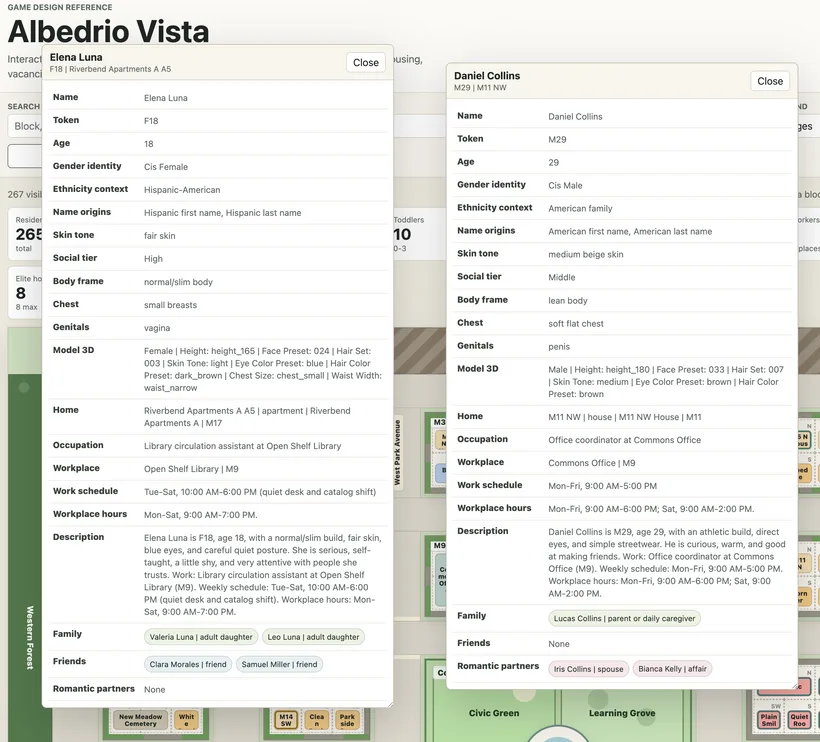
For a while, the population of Albedrio Vista lived mostly in data files.
That was fine at the beginning. A few residents, a few houses, some jobs, some notes. But the list kept growing, and every resident started connecting to other things: home, work, family, friends, routines, relationships and body data for the character generator.
At that point, reading JSON was not enough. I needed to see the neighborhood.
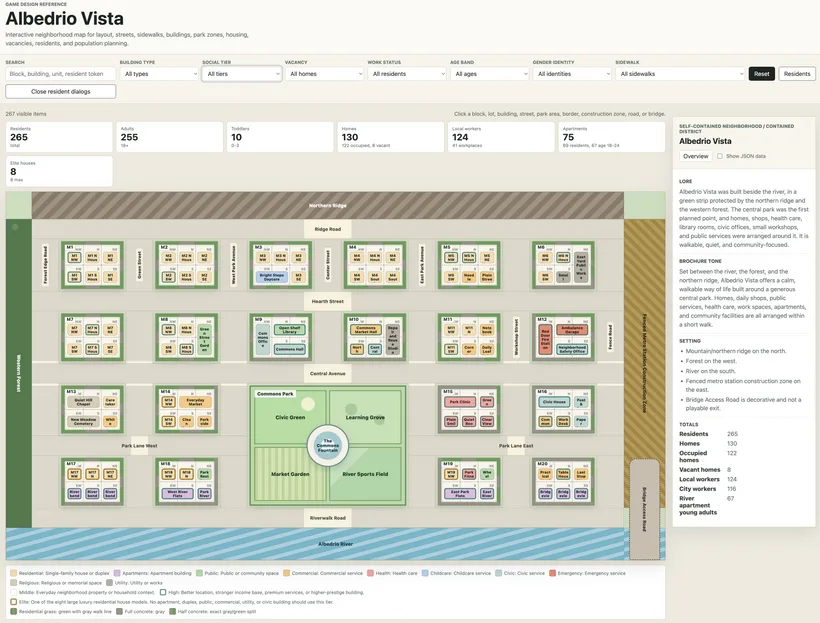
So I built a standalone map tool in plain HTML, CSS and JavaScript. Nothing fancy. I wanted something I could open in a browser, click on a block, and immediately know what is there.
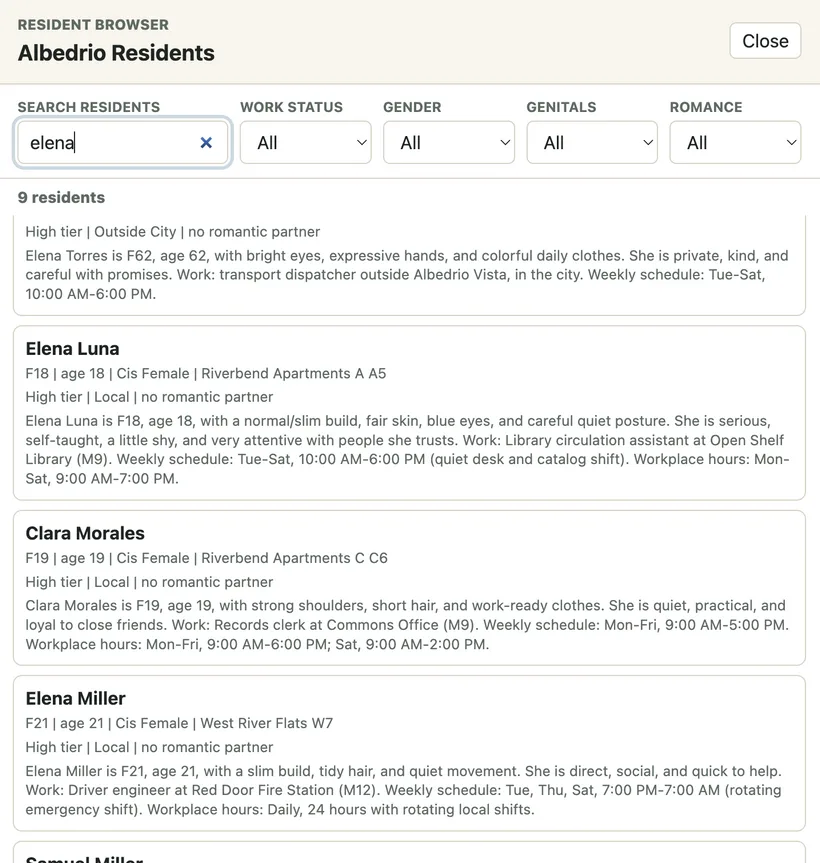
The map shows streets, blocks, lots, buildings, the park, the river, the forest edge and other parts of the neighborhood. The side panel shows details when I select something. Later I added a resident browser and small floating resident windows because one sidebar was not enough anymore.
This is not a player map. It is a workbench for me.
It helps me catch problems that are hard to see in tables. A block can have the correct number of homes but still feel wrong. A quiet street can accidentally become full of services. Young adults can end up too spread out, or too concentrated, without me noticing until I see it.
The map also validates the data. If the expected population is wrong, if a workplace has no workers, if a resident has no schedule, or if a character is missing model data, I want to know early. Small mistakes become expensive later.
One design change proved why this tool matters. The neighborhood originally had a school/university idea, but later I decided it did not fit. Albedrio Vista is a new suburb, and a full campus inside it felt forced. Removing it meant changing residents, jobs, schedules and several blocks. Without the map, that cleanup would be much harder to trust.
The next step was connecting this population data to Character Lab.
I do not want Character Lab to invent people. The people belong to the world first. They have homes, jobs, descriptions, family and relationships before they become 3D models. Character Lab should receive those records and help me turn them into characters.
That means the data has to be split cleanly. The visual generator needs exact parameters: height, face preset, hair set, skin tone, eye color, hair color, chest size and waist width. Those go inside a focused `parameters` object. Everything else stays as metadata around it.
The current generated input includes 250+ residents, but the exact number is not fixed yet. This project is still before pre-alpha, so I regularly create, remove or merge characters while the neighborhood design changes. Each person has a stable ID, plus the original source ID from the neighborhood database, so I can always trace things back.
The useful part is that each character record still carries human context. If I open a resident in Character Lab, I do not only want to see `facePreset: 024`. I want to know where she lives, where she works, who her family is and what kind of person she is. Those details affect hair, clothes, posture and other visual choices.
Automation helps a lot here, but it does not replace taste. The script can create a coherent first pass and validate references. It can save me from copying names and IDs by hand. It cannot decide if a character feels right.
That is the balance I want: automate the boring base layer, then spend manual time on the choices that actually give people personality.